Hotel Room Mapping Explained: How to Avoid OTA Sync Errors
Learn how to map hotel rooms and rate plans correctly between your PMS, channel manager and OTAs to prevent synchronization errors and double bookings.
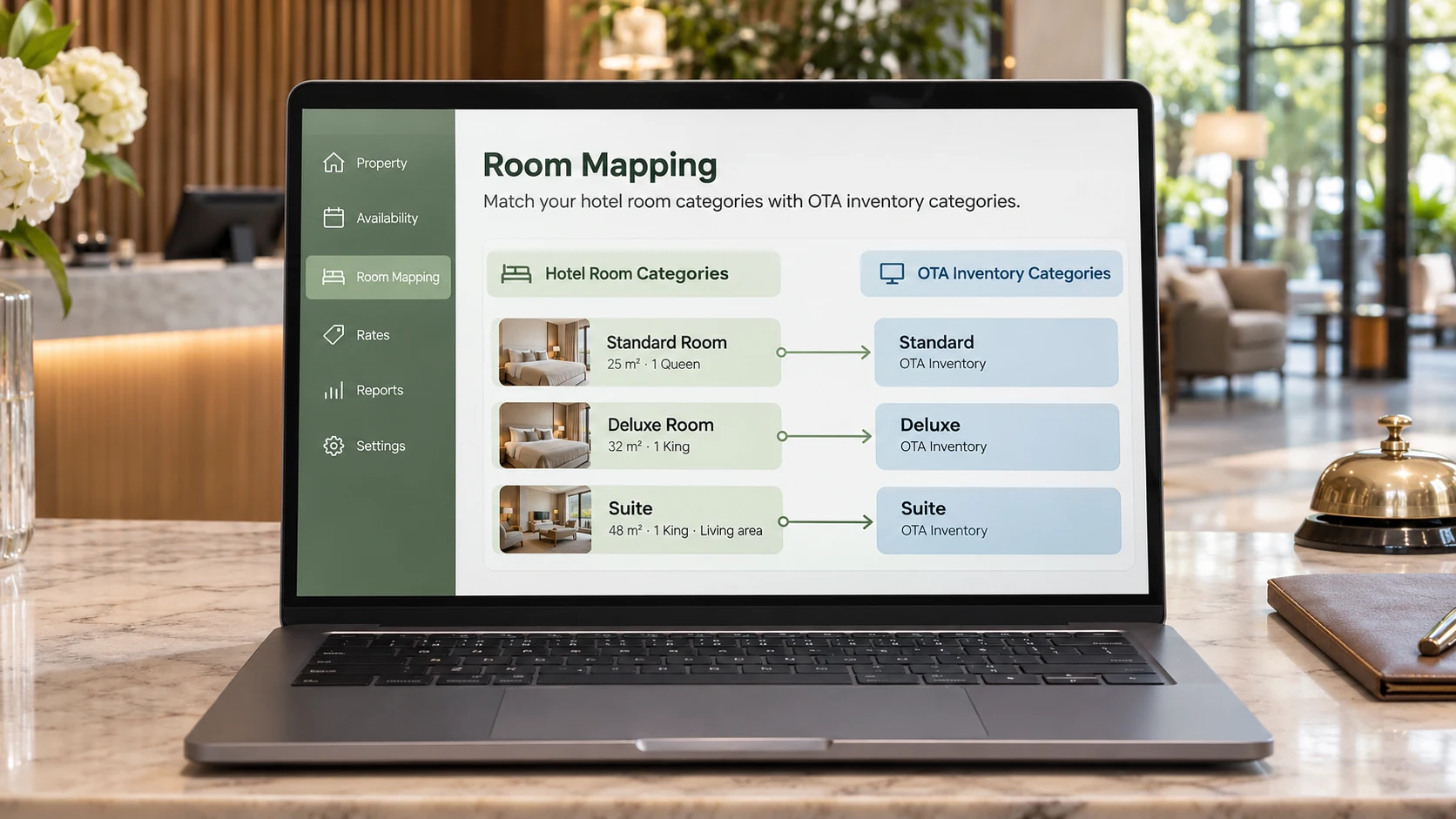
Connecting your hotel to a channel manager doesn't automatically mean your rooms and rates are configured correctly.
A guest might book a Deluxe Room on Booking.com, but your property management system (PMS) could receive the reservation under the wrong room category.
This often happens because of incorrect room mapping. Understanding how mapping works helps independent hotels, guesthouses and villas avoid synchronization errors and double bookings.
What Is Hotel Room Mapping?
Room mapping connects room categories in your PMS or channel manager with their corresponding listings on online travel agencies (OTAs).
The names don't need to match exactly, but they must represent the same accommodation inventory.
For example:
| PMS Room Type | Booking.com | Agoda |
|---|---|---|
| Standard Double | Standard Queen | Standard Room |
| Deluxe Double | Deluxe King | Deluxe Double |
| Family Suite | Family Room | Family Suite |
These names are illustrative.
If a guest books a Deluxe Double through Booking.com, the central system should reduce the correct availability across connected channels.
The goal is to maintain accurate inventory regardless of where a guest books.
Room Mapping vs Rate Mapping
These are two different configurations.
Room mapping connects the accommodation inventory being sold.
Rate mapping connects the pricing plans associated with that accommodation.
For example, one Deluxe Room might have several rate plans:
- Room only
- Breakfast included
- Flexible cancellation
- Non-refundable
Although these plans have different prices and conditions, they may share the same physical room inventory.
| Mapping Type | Purpose |
|---|---|
| Room mapping | Connect matching room categories |
| Rate mapping | Connect corresponding pricing plans |
| Availability sync | Update remaining inventory |
| Restriction sync | Distribute supported booking conditions |
Not every OTA integration supports identical rate plans or restrictions. Always verify your provider's capabilities.
Common Room Mapping Mistakes
1. Connecting the wrong categories
A Standard Double might accidentally be mapped to a Deluxe Room listing.
This can cause incorrect reservations, prices and guest expectations.
Compare occupancy limits, bed configurations and amenities before mapping.
2. Duplicating shared inventory
Imagine a guesthouse with four Deluxe Rooms.
If Booking.com and Agoda independently manage those same four rooms without accurate synchronization, both platforms might continue selling inventory that is already reserved.
Correct central inventory management reduces this risk.
Read InnStack's guide to preventing double bookings for more information.
3. Forgetting rate plans
A room category may be connected correctly while its breakfast-inclusive rate is mapped to a room-only plan.
Guests could receive incorrect prices or inclusions.
Review each active rate plan individually.
4. Keeping outdated mappings
Renovations, category changes or removed rooms can leave old mappings active.
Review your connections whenever your accommodation inventory changes.
How to Map Hotel Rooms Correctly
Follow these five steps when setting up a channel connection.
Step 1: Review your inventory
Document each room category, including its physical room count, maximum occupancy, bed configuration and amenities.
For example, five physical rooms might belong to just two categories: Standard and Deluxe.
Step 2: Check OTA listings
Open your connected OTA accounts.
Confirm each listing accurately describes the accommodation available at your property.
Correct outdated or duplicate listings.
Step 3: Connect matching categories
Map each OTA room category to the appropriate internal room type.
Don't rely on names alone.
Cloudbeds recommends consistent, one-to-one room-type mapping to reduce synchronization problems.
Step 4: Connect rate plans
Match each supported pricing plan to the correct internal rate.
Check meal inclusions, cancellation conditions, occupancy pricing and supported booking restrictions.
Step 5: Verify synchronization
Use your provider's supported testing procedure.
Where appropriate, make a reversible availability change for an unbooked future date.
Confirm that connected channels receive the change, then restore the original setting.
Avoid creating real chargeable reservations simply to test synchronization.
Quick Room Mapping Checklist
Before relying on automated updates, verify:
| Item | What to Check |
|---|---|
| Room categories | Correct inventory connected |
| Room counts | No duplicated sellable stock |
| Rate plans | Correct prices and inclusions |
| Restrictions | Supported rules update correctly |
| Reservations | Correct room type received |
| Cancellations | Availability restored appropriately |
Repeat these checks after connecting new OTAs or changing your room inventory.
Frequently Asked Questions
Is room mapping the same as connecting an OTA?
No. Connecting an OTA establishes the integration. Room mapping identifies which accommodation inventory corresponds between systems.
Do room names need to match across OTAs?
Not necessarily. Different names can represent the same accommodation if the mapping and guest-facing descriptions are correct.
Can incorrect mapping cause double bookings?
Yes. Incorrect inventory mapping can contribute to overbookings. Synchronization delays and manual mistakes can also cause problems.
Final Thoughts
Room mapping is essential for reliable hotel distribution.
A channel manager can automate availability and pricing updates, but it needs accurate information about the accommodation being sold.
Map each room category carefully, verify rate plans and test synchronization before relying on automated updates.
Sources and Methodology
- Cloudbeds – Room Mapping Guidelines — Official guidance on matching room types across a PMS, channel manager and OTAs.
- Oracle Hospitality – Configuring Channel Room Types — Room-type mapping and channel configuration.
- Oracle Hospitality – Configuring Channel Rate Codes — Rate-plan mapping and associated room types.
Examples are illustrative. Actual synchronization capabilities depend on the software provider and connected OTA.